
Payments are handled byzittme Pay
Commerce, bookings and anywhere else you take money all share one payment flow. Switch on a payment provider in the admin panel and enter your keys. Order numbers carry through, so payments and orders always match.
Installs on Rhymix 2.1 or later with PHP 7.4 or later. Download it from the Rhymix archive and upload by FTP, or use easy install. Compatibility is in beta.
Connect the providers you already use
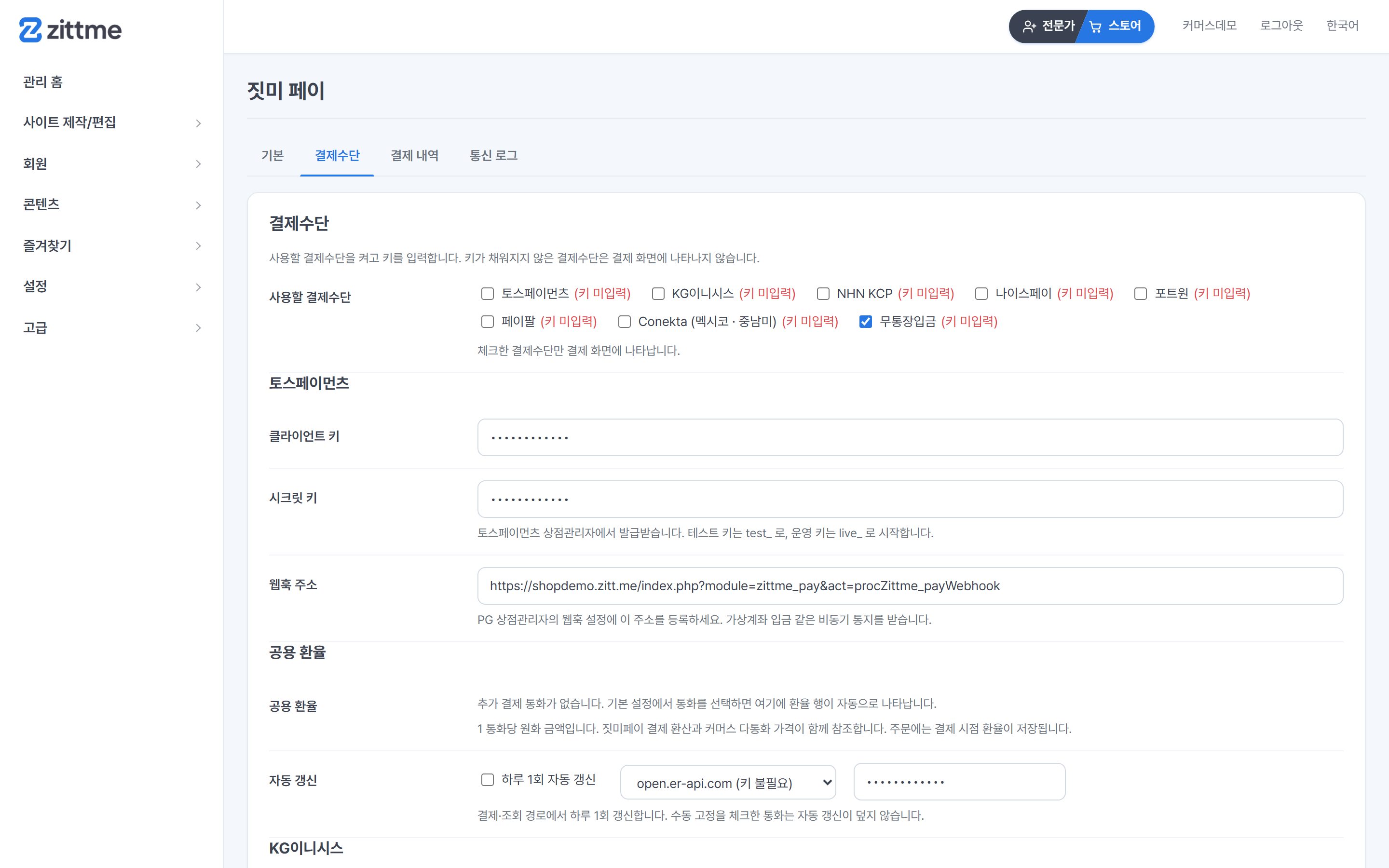
Sign the contract with the provider yourself, then enter the issued keys in the admin panel. Payment methods without keys do not appear at checkout.
Toss Payments
Cards, bank transfers and virtual accounts.
KG Inicis
The most widely used provider in Korea.
NHN KCP
Cards and easy-pay together.
NICEPAY
Including virtual account deposit notifications.
PortOne
For connecting several providers at once.
PayPal
Take payments in foreign currency from overseas buyers.
Bank transfer
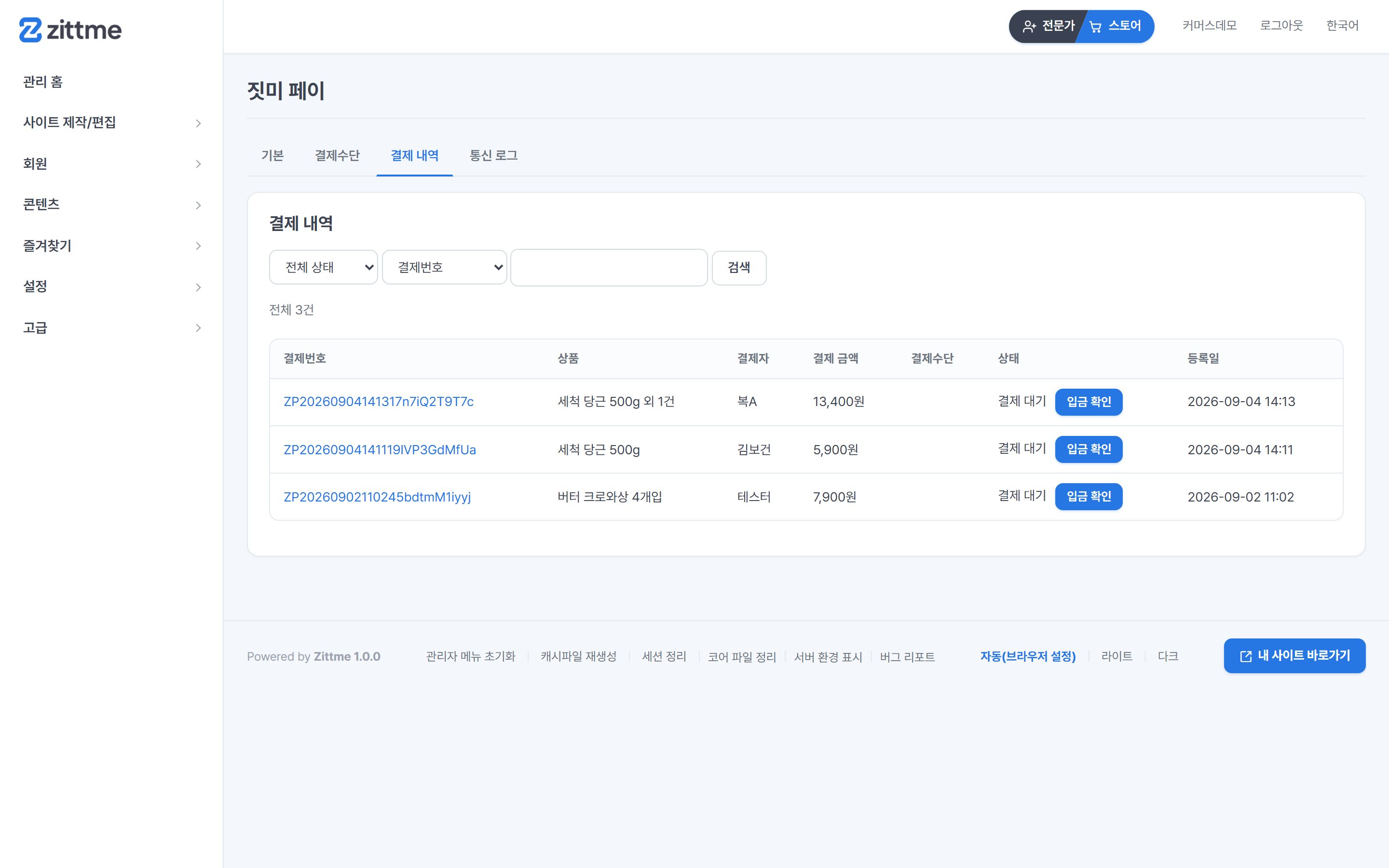
Receive to your account and confirm deposits. No contract needed.
Conekta
A Mexican provider. Takes cards, OXXO convenience-store cash and SPEI bank transfers.
How Conekta works
Enter test keys from the Conekta panel to try card, OXXO and SPEI payments in the sandbox right away. Cash and bank transfers wait for deposit and are confirmed by webhook, and card payments can be refunded from the admin panel.
KRW orders are converted to MXN using the shared exchange rate. Live keys require a Conekta review with a Mexican business (RFC) and a Mexican bank account. See the zittme Pay section of the manual for details.
- CardsRefunds from the admin panel
- OXXO · SPEIAwaiting deposit → confirmed by webhook
- KRW ordersConverted to MXN at the shared rate
- Live keysMexican business (RFC) · Mexican bank account review
Switch it on, enter your keys, done
Pick the payment methods you want and enter the issued keys. The webhook address is shown on screen, so just copy it into the provider's merchant panel. Notifications such as virtual account deposits arrive at this address.
- Enter test and live keys separately
- Turn on several payment methods at once
- Pick a checkout skin to match your theme
- Add currencies and exchange-rate rows appear automatically
Everything that comes after payment
Payment does not end at approval. Cancellations, refunds, deposit checks and reconciliation come as one package.
Partial cancellation and refunds
Cancel part of an order and refund only that amount. Sends the cancel request to the provider and records the result.
Bank transfer confirmation
Check the depositor name and amount and confirm in the admin panel. The order status moves along with it.
Webhooks
Handles notifications that arrive later, like virtual account deposits. Applied even when nobody has the site open.
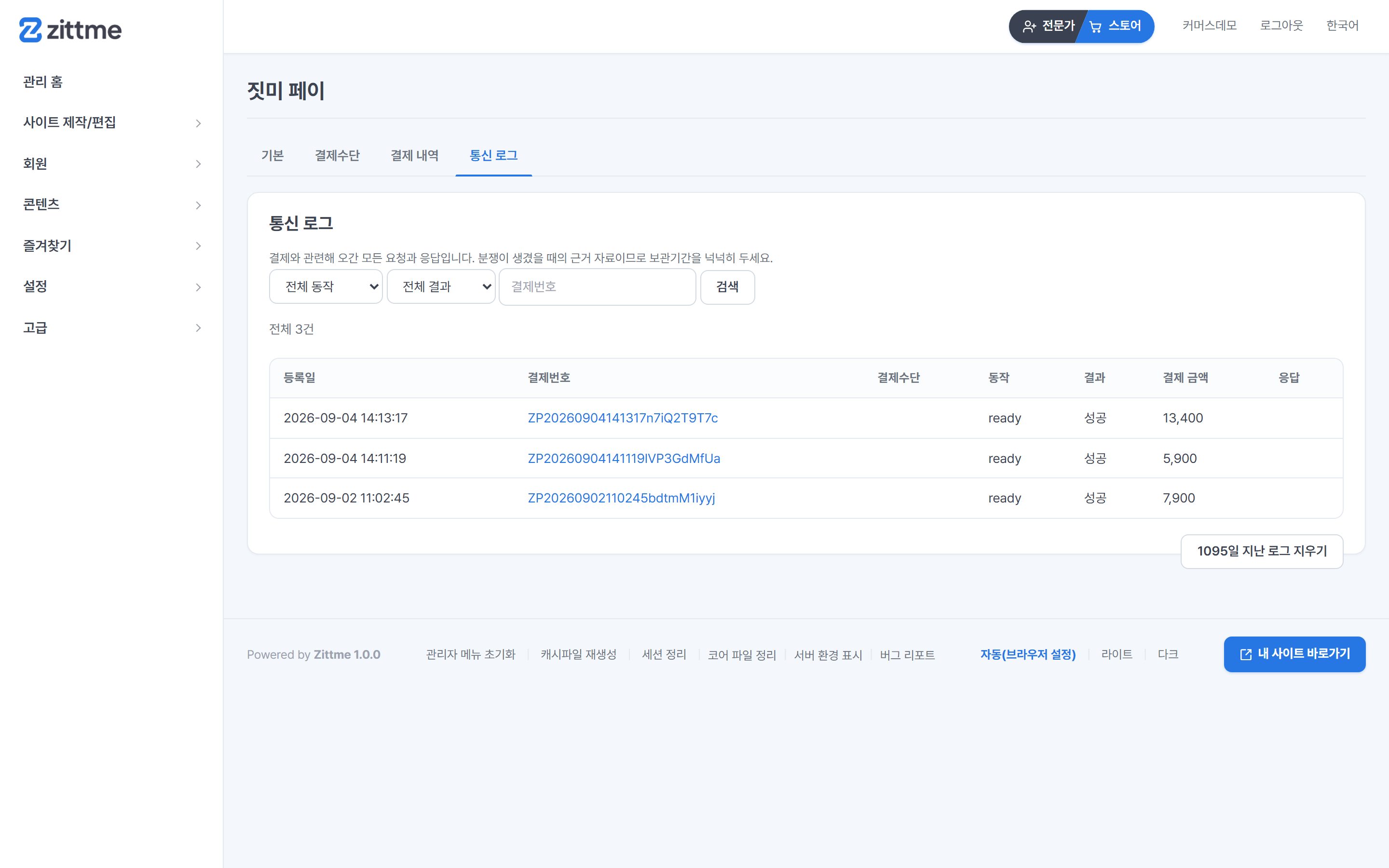
Communication log
Requests and responses with the provider are kept, so you can see where things went wrong.
Multi-currency
Keep several payment currencies and manage exchange rates. Orders store the rate at the time of payment.
Linked order numbers
Commerce and booking order numbers go straight into payment records. No switching screens to match them.
Available now
Download it from Resources, install it, and enter the keys for your provider. On Rhymix, get it from the archive. The payment setup guide covers contracts and key issuance for each provider.
Contracts and reviews are done directly with each payment provider. zittme Pay connects them using the keys you receive.