Skip to content
Products · Shops · booking sites

Sell, take bookings
and payments on one site

Shops that list products and take orders, booking sites that set dates and times. Commerce, Bookings and zittme Pay work as one, and with an official theme for your industry you open the same day.

  • 8payment providers
  • 6languages · currencies
  • 9live demos
  • Freeengine · modules · basic themes
shopdemo.zitt.me

01Sites you can build

Not just a cart. The Commerce module has everything a shop needs, from options, stock, coupons, tiers and reward points to shipping and claims, and the Bookings module handles branches, staff, schedules and settlement.

  • 01
    Product shops

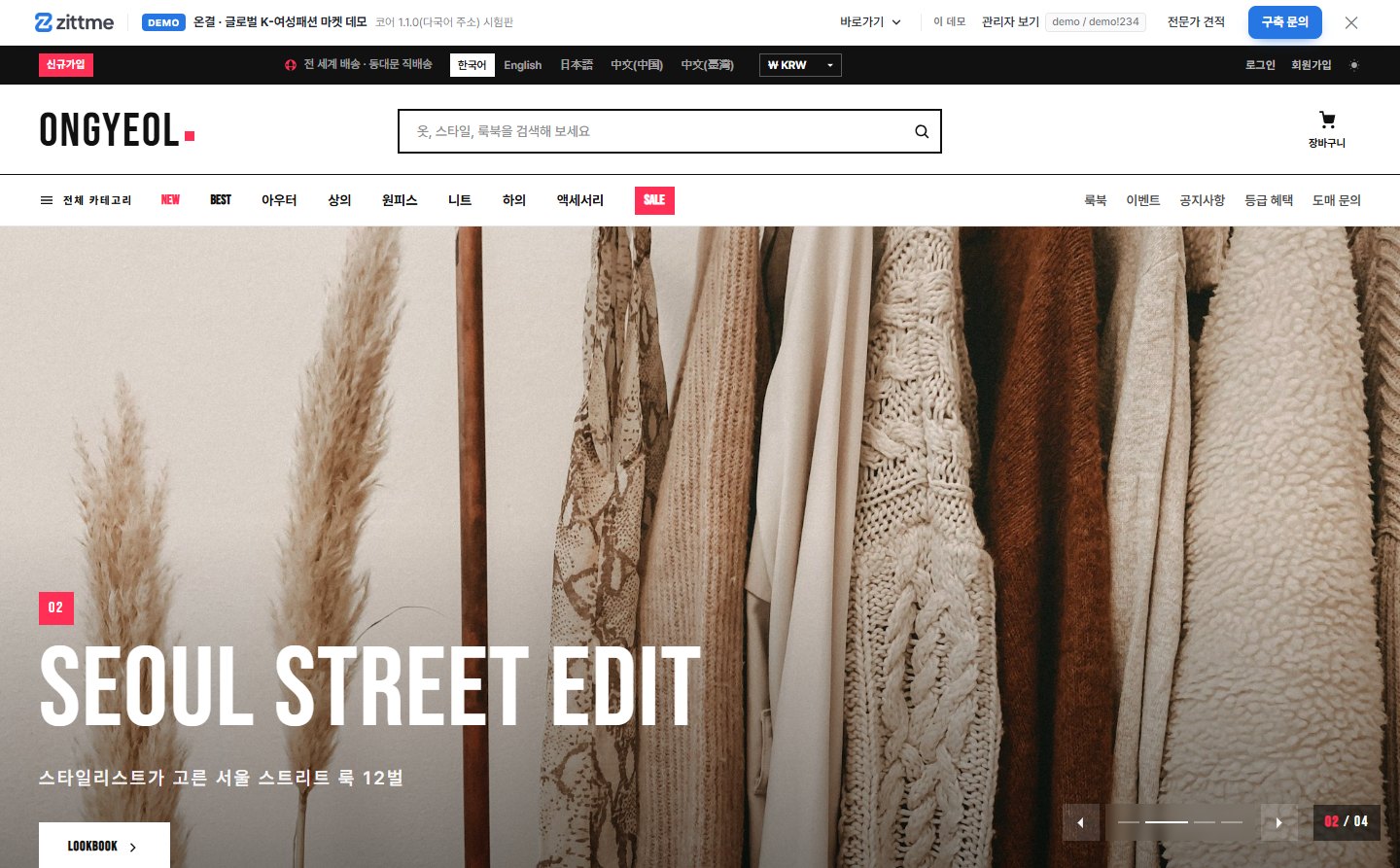
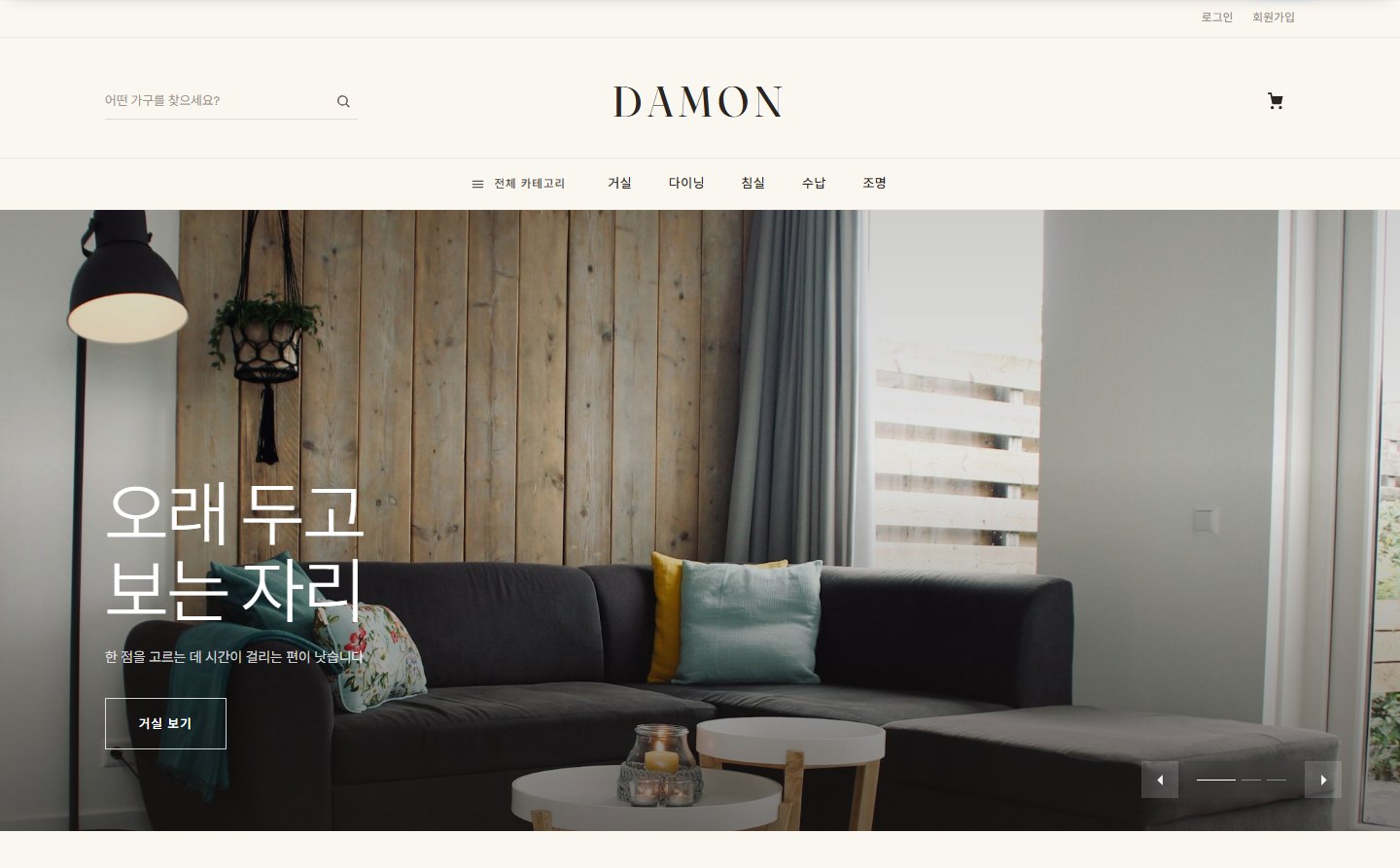
    Food, fashion, cosmetics, living. Categories, options and stock, promotions, reviews, rankings, member tier benefits.

  • 02
    Selling abroad

    Korean, English, Japanese and Chinese addresses; KRW, USD, JPY, CNY and other currencies; international shipping and customs notes; PayPal · Conekta.

  • 03
    Stays · facility bookings

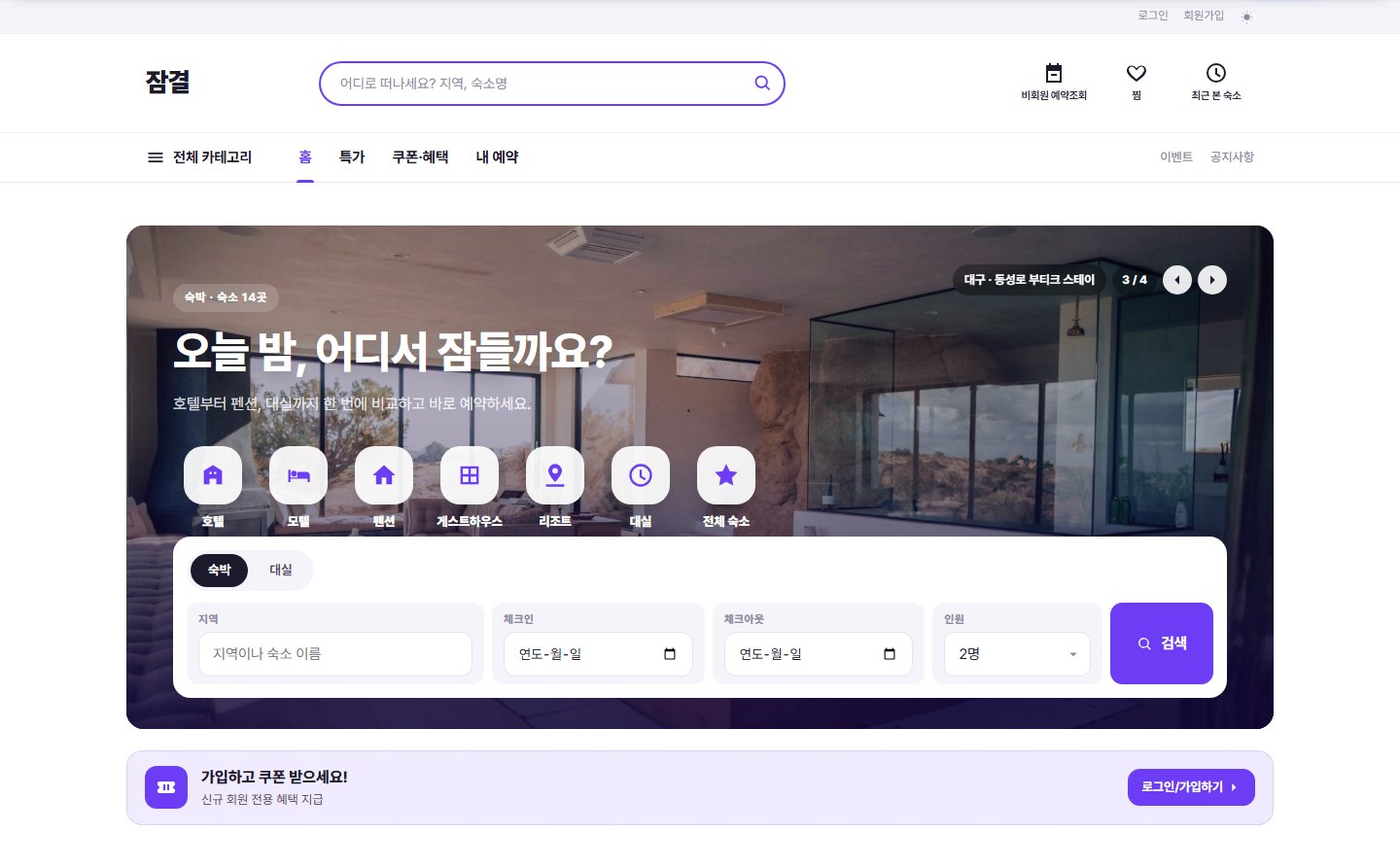
    Rooms, dates, guests, peak-season rates, cancellation rules. Payment and confirmation in one flow.

  • 04
    Salon · clinic bookings

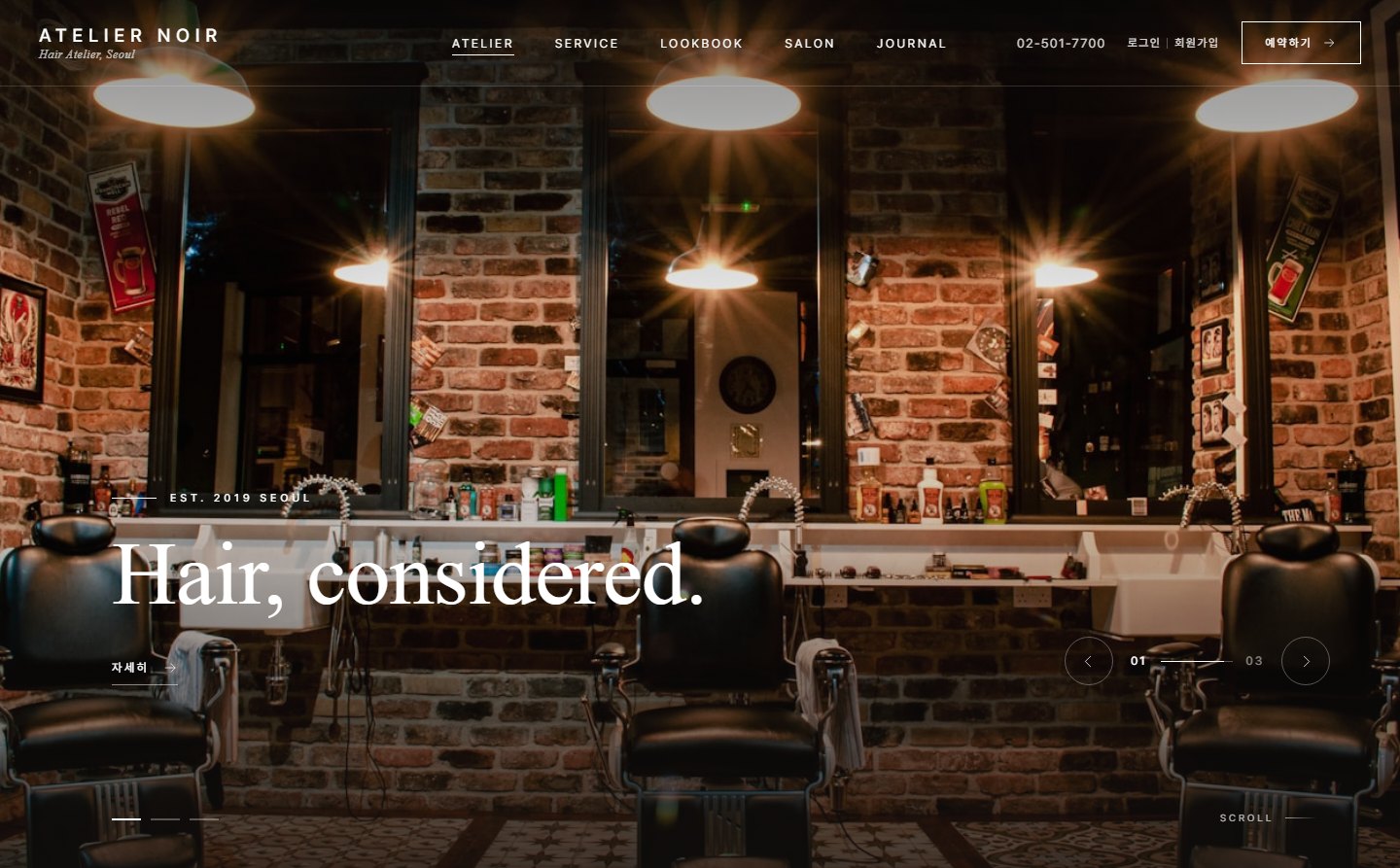
    Pick a branch and staff member and book a time; clinics add departments, doctors, test results, billing and certificates.

  • 05
    Payments

    Toss · Inicis · KCP · NICE · PortOne · PayPal · Conekta · bank transfer. zittme Pay handles card cancellations, partial refunds and webhooks.

  • 06
    Admin screens

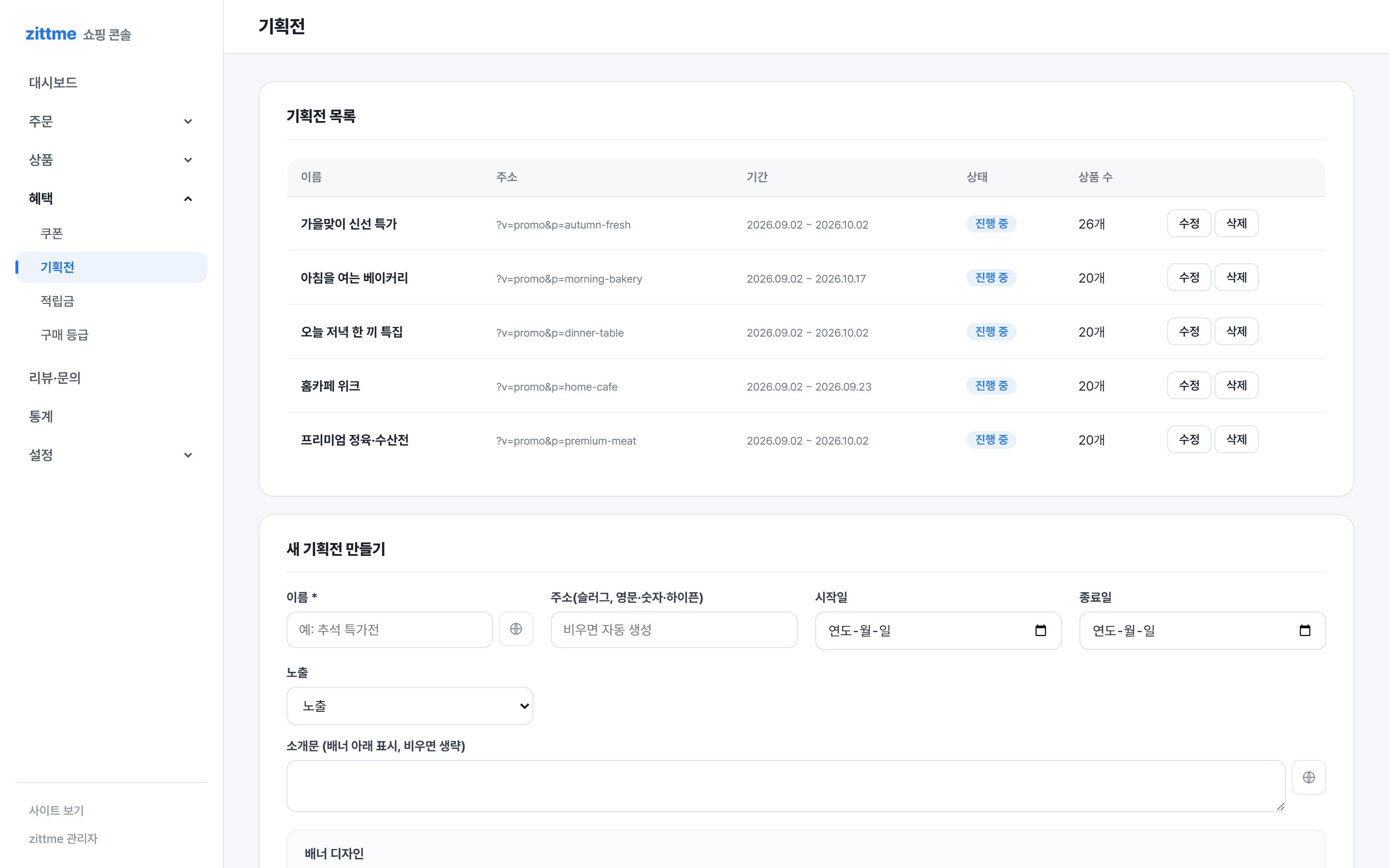
    Orders, shipping, claims, settlement and stock alerts on one admin screen. The same screen on mobile.

03A day in screens

What customers see, side by side with what the operator sees.
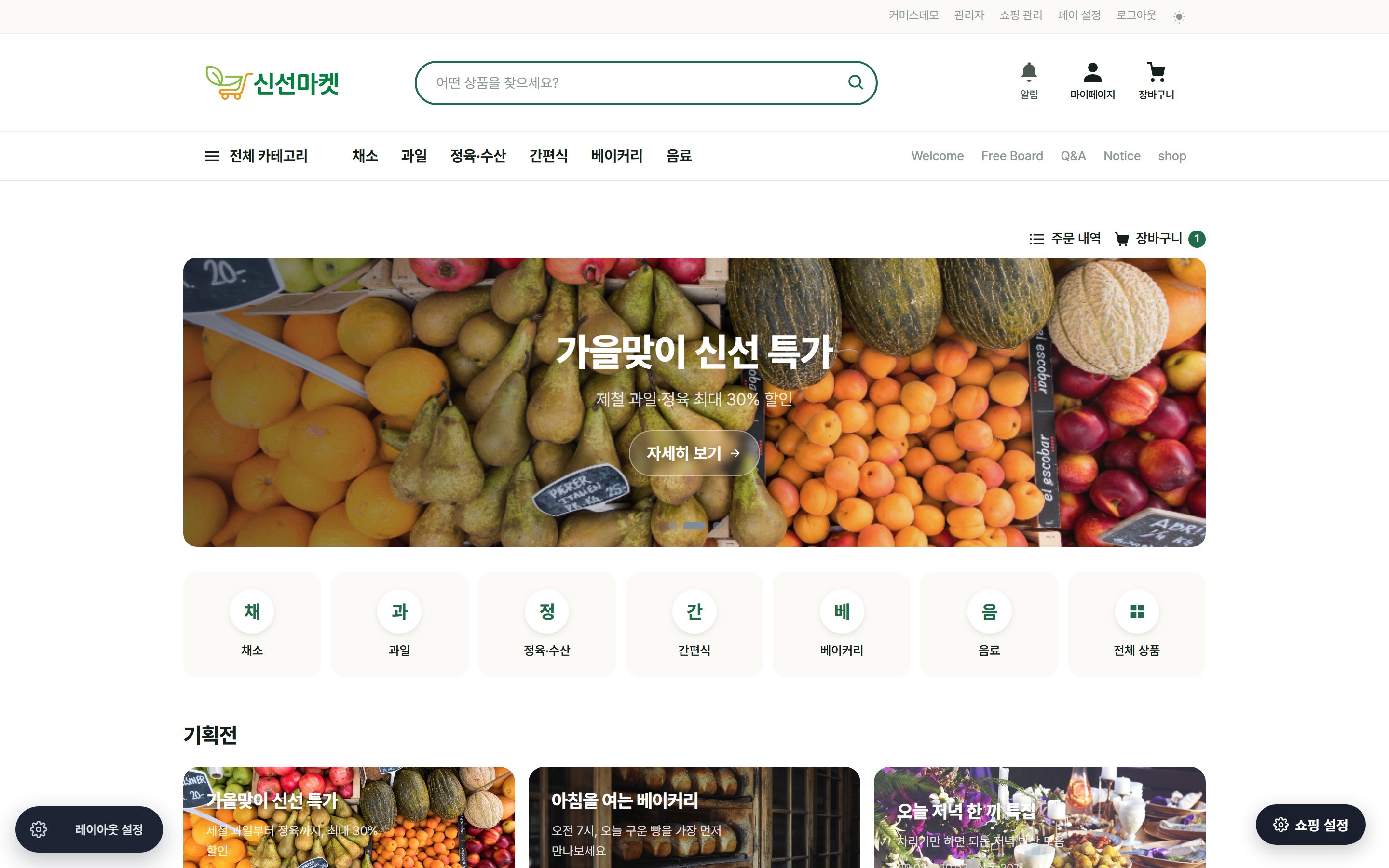
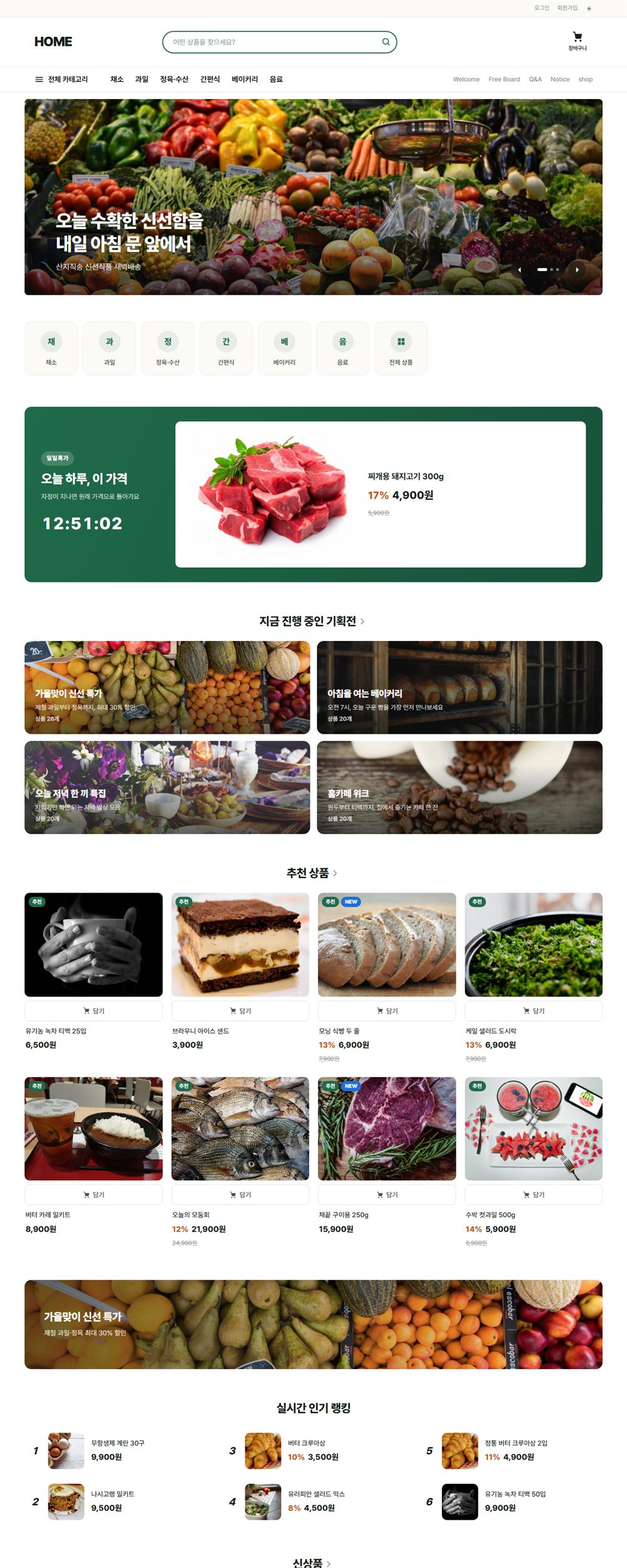
The home page is the storefront

The theme draws the home page itself. Category tiles, picks, new arrivals, sales, daily deals, promotions and rankings are assembled by setting their order in layout settings, with no separate widget page.

  • Product cards with brand line, stars and discount
  • Promotions with banner, intro and product grid
  • Responsive, so no separate mobile view
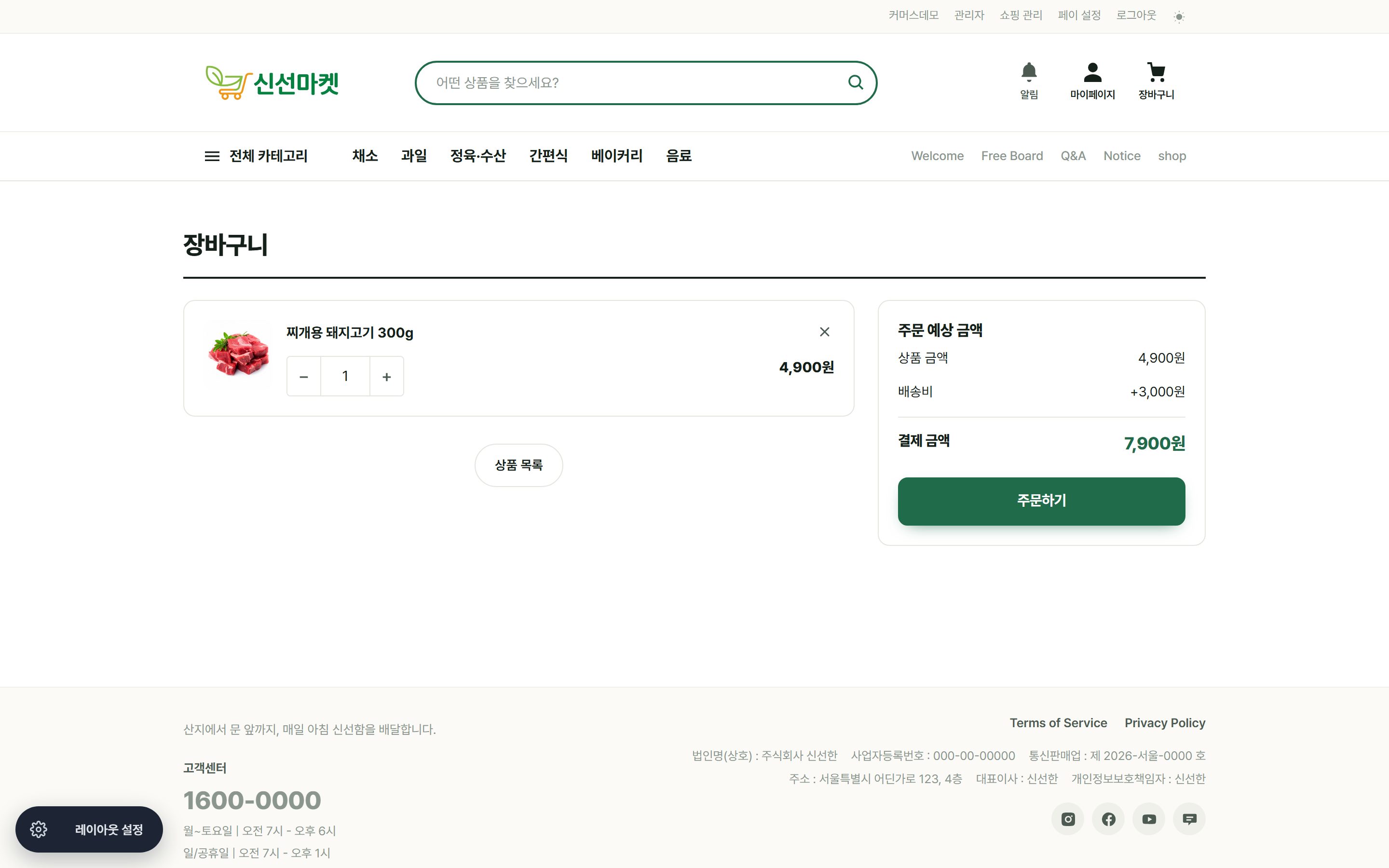
Three screens from cart to payment

Cart → order form → payment. zittme Pay opens the payment window and handles server approval, cancellation and refunds, so Commerce never needs to know the PG. Change providers and the shop stays the same.

  • Buyer info, address, coupons and points on one screen
  • Bank transfers wait for deposit; cards are approved instantly
  • Order status and tracking after payment
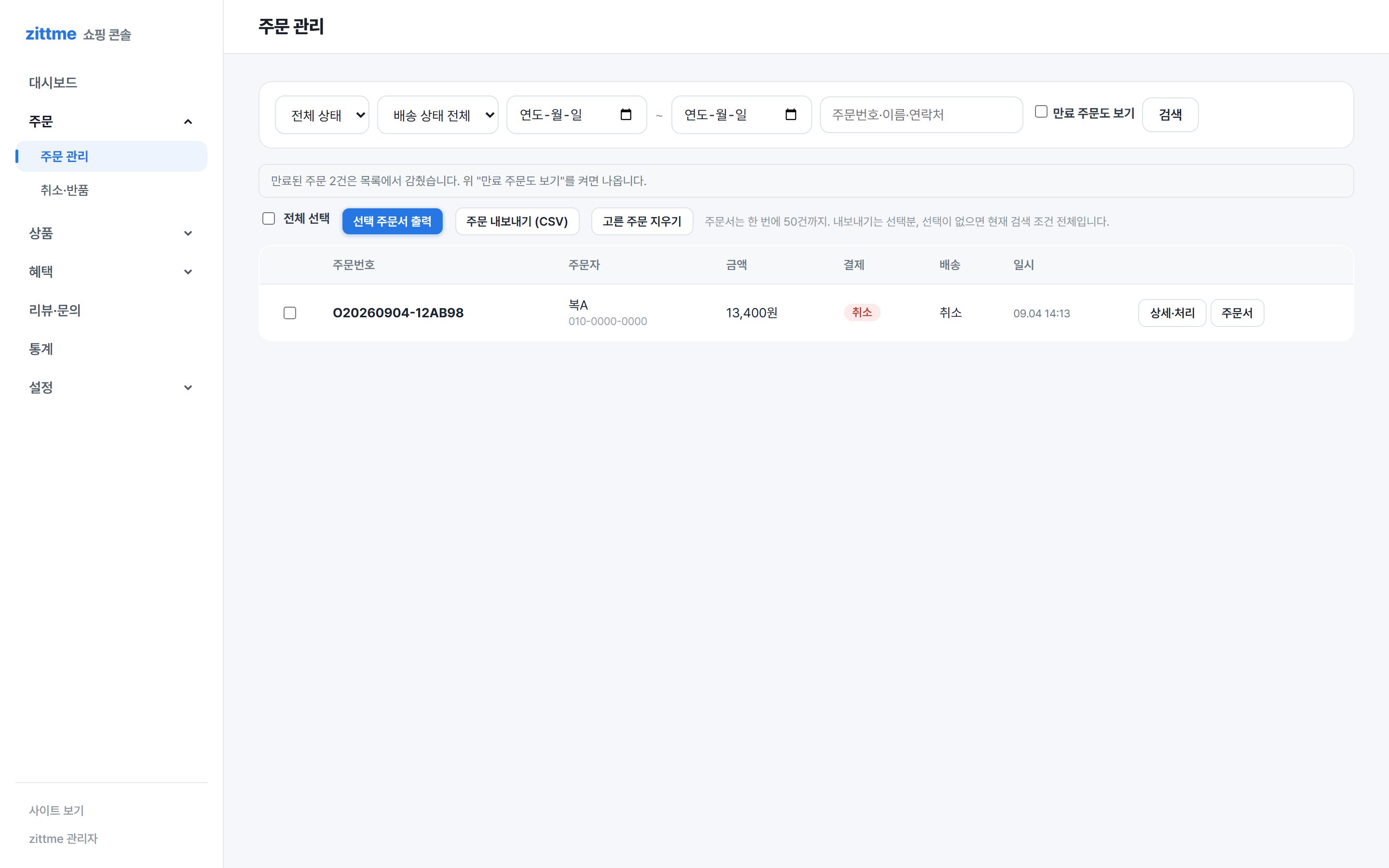
Operators just watch the orders screen

Filter incoming orders by status, enter tracking numbers, handle claims and check settlement. You get an alert when stock runs low.

  • Orders · shipping · claims · settlement tabs
  • Low-stock alerts, automatic sold-out
  • Coupon, tier and reward point rules

Numbers on the dashboard

Today's sales, order count, top products, open claims. Right on the admin home screen.

04What goes in

Modules install in one go from the admin library, and themes are picked and applied from Resources. One account, one admin screen.

ModulesCommerceFree

Products · options · stock · orders · shipping · claims · coupons · tiers · points · promotions · selling abroad.

Details →
Moduleszittme PayFree

Shared payment engine. 8 providers, cancellations, refunds, webhooks, logs.

Details →
ModulesBookingsFree

Rooms · branches · staff · schedules · settlement · calendar.

Details →
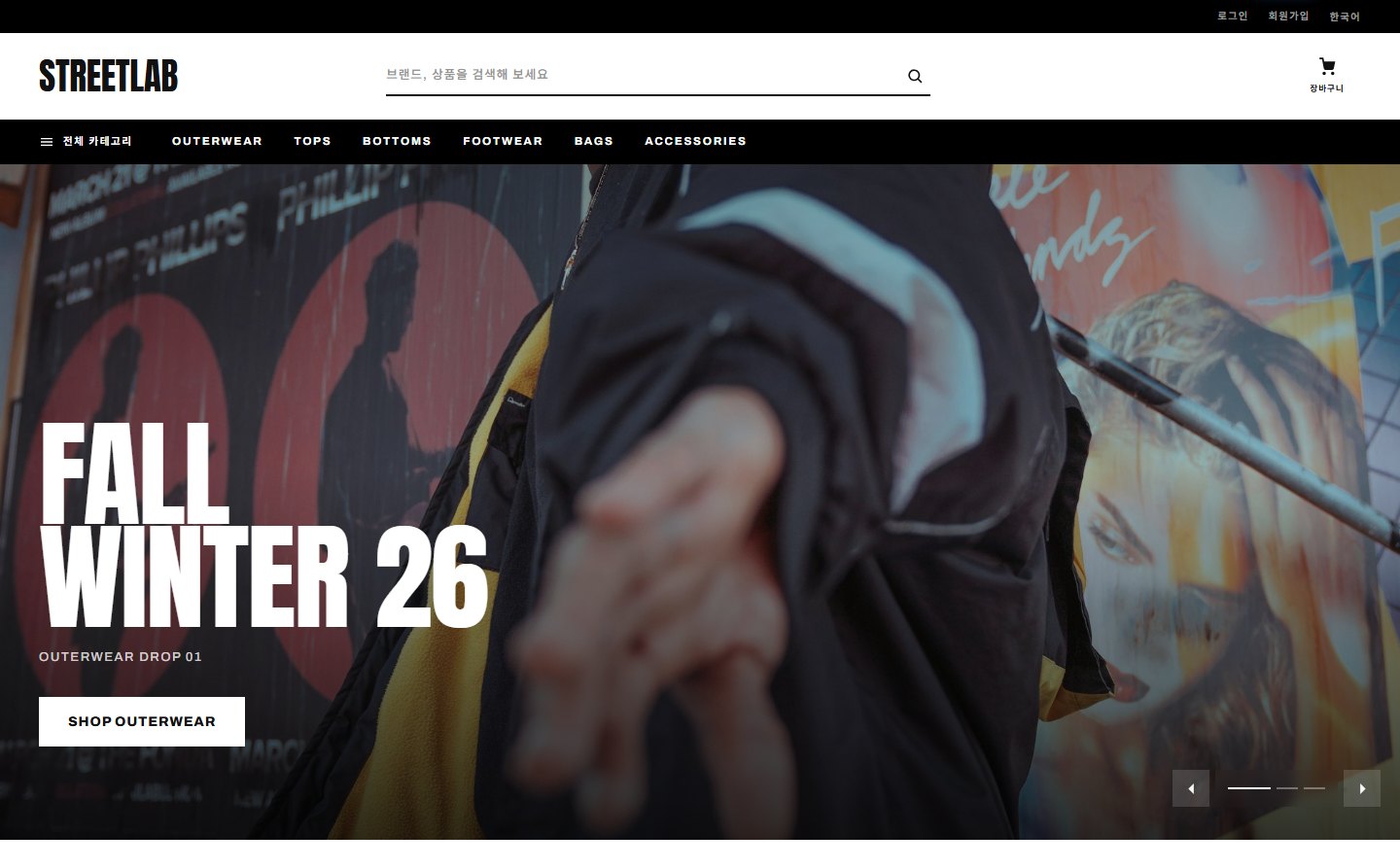
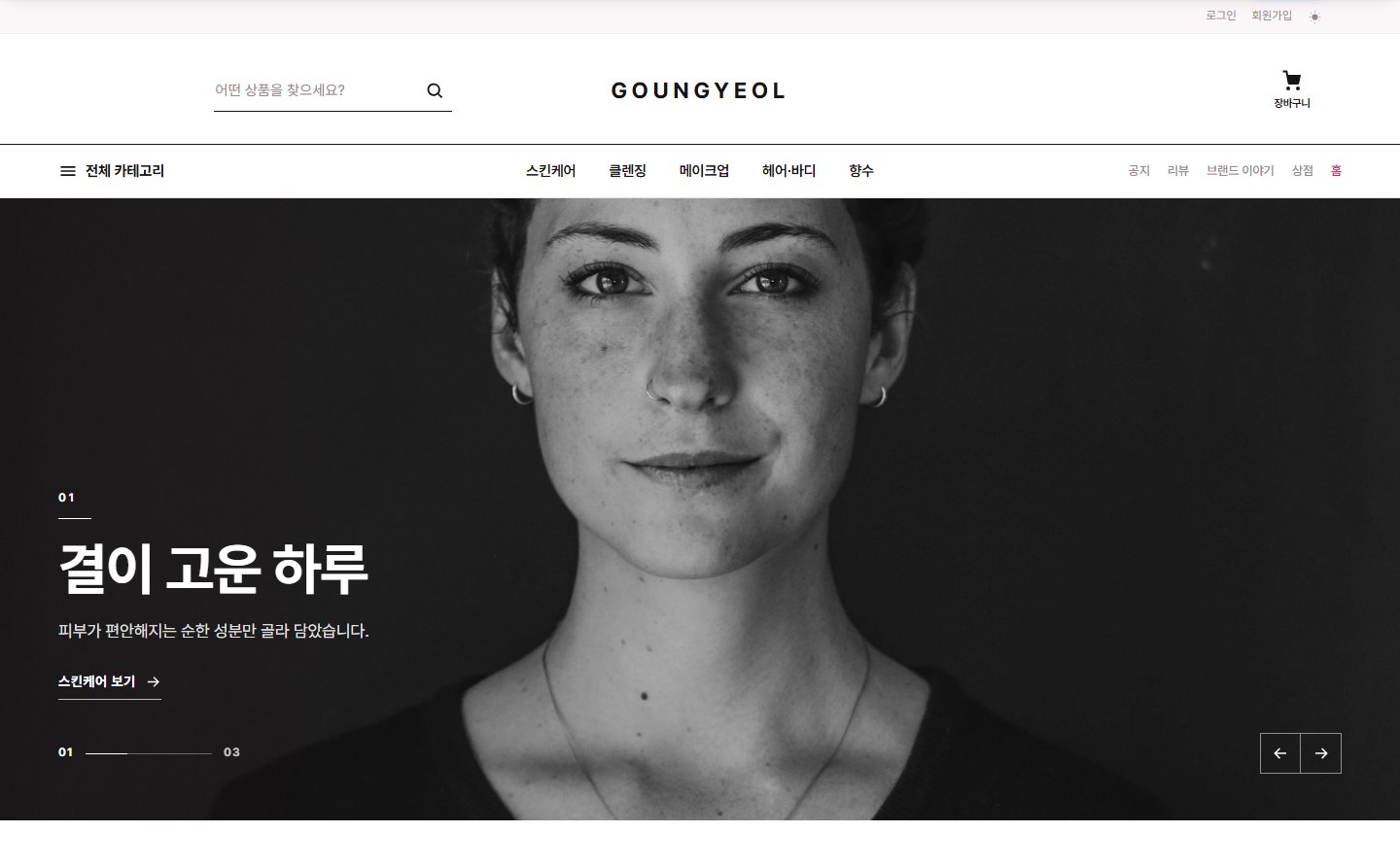
ThemesSinsunhan · Gounkyeol · StreetlabFree

Official themes for food, beauty and fashion shops. Home, store, boards, members and checkout in one set.

Details →
ThemesDamon · Jamgyeol · Hair SalonFree

Furniture, stays, salons. The themes used in the demos.

Details →
ModulesContact · Members · NotificationsBuilt in

Contact forms, identity verification, social login, order and booking notifications. Included in the core.

Details →

05Opening steps

You can open in half a day. Only the payment provider review takes a few extra days.

STEP 1Install and add modules

Upload the engine and install Commerce and zittme Pay (and Bookings) from the admin library. Tables and settings are created automatically.

STEP 2Apply a theme and add products

Pick a theme from Resources and apply it; the store menu, header search and home page are connected. Add products and categories.

STEP 3Connect a provider and open

Enter your provider keys in zittme Pay and run one test payment. Start selling once your mail-order registration and PG review are done.

07Frequently asked questions

Leave anything else in Q&A under Support. The development team answers.

How is this different from hosted builders like Cafe24 or imweb?
It is your site on your server. No monthly fees or payment commissions to hand over, and you can put boards, members, bookings and a community on the same site. The code is GPL, so you can change it as you like.
Which payment providers can I use?
Toss Payments · KG Inicis · NHN KCP · NICE Pay · PortOne (V2) · PayPal · Conekta · bank transfer. Turn them on in zittme Pay settings and enter your keys. You sign the provider contract and pass the review yourself.
Can I move from a Rhymix shop?
Yes. Commerce and zittme Pay also install on Rhymix 2.1, and members and boards move with the Rhymix · XE migration tool. You can also hand the migration to an expert.
How far do multilingual and international sales go?
Language by URL (ko · en · ja · zh-CN · zh-TW), 6 display currencies, shared exchange rates, PayPal · Conekta payments, international shipping fees and customs notes. The K-fashion demo shows it all.

List products today
and take your first order tomorrow

The engine, modules and basic themes are all free. Just connect a payment provider.